What Is a Network Rack? Complete Guide to Server & Network Racks

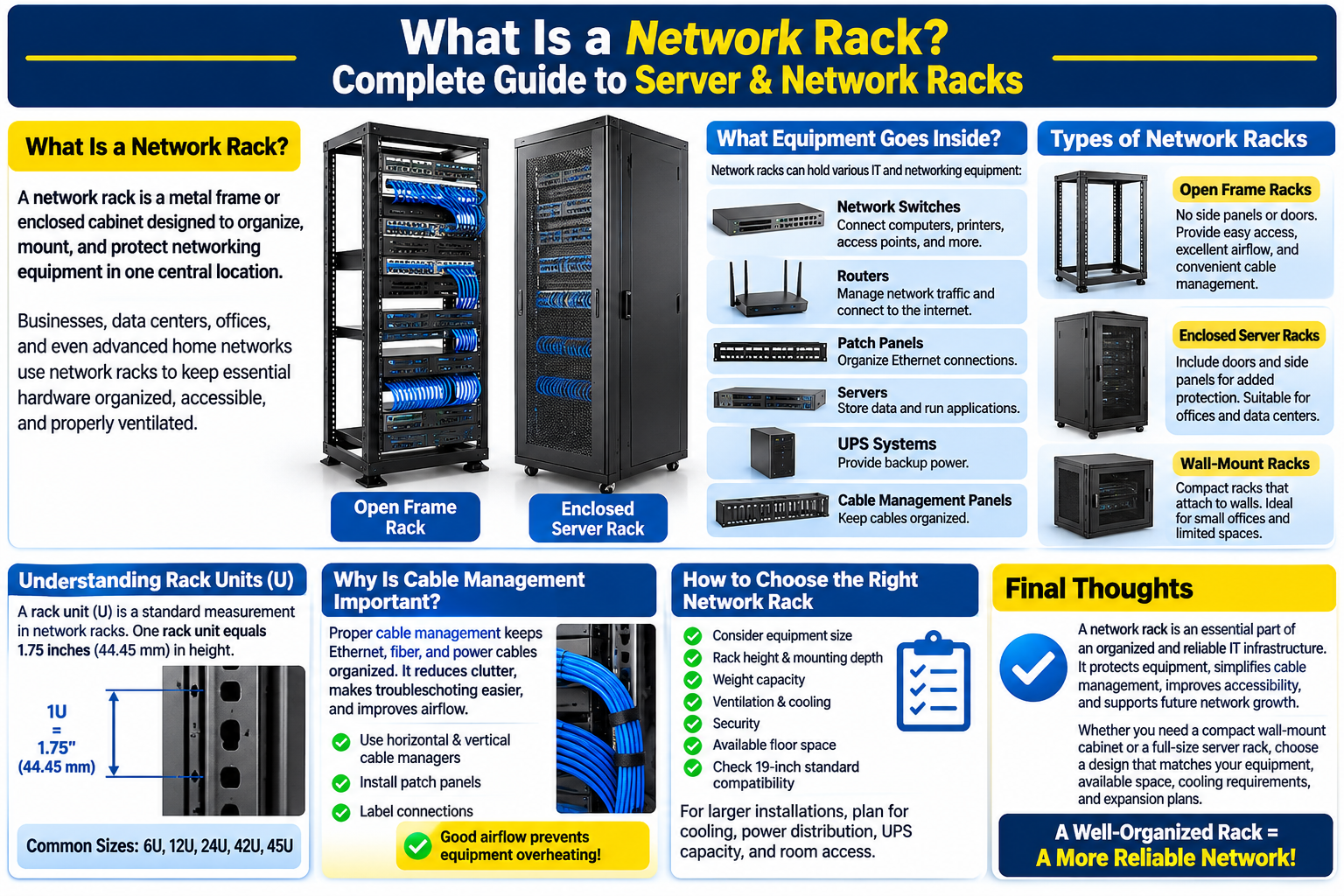
A network rack is a metal frame or enclosed cabinet designed to organize, mount, and protect networking equipment in one central location. Businesses, data centers, offices, and even advanced home networks use network racks to keep essential hardware organized, accessible, and properly ventilated.

Whether you are setting up a small office network or managing a large IT infrastructure, choosing the right network rack can improve equipment management, cable organization, and maintenance.

What Equipment Goes Inside a Network Rack?

Network racks are designed to hold different types of IT and networking equipment. Common examples include:

  • Network switches: Connect computers, printers, access points, and other devices.
  • Routers: Manage network traffic and connect local networks to the internet.
  • Patch panels: Organize Ethernet cable connections and simplify cable management.
  • Servers: Store data, run applications, and support business operations.
  • UPS systems: Provide backup power during electrical interruptions.
  • Cable management panels: Keep network cables organized and reduce clutter.

Mounting this equipment in one location makes it easier for IT teams to monitor, maintain, and troubleshoot network systems.

Types of Network Racks

Different installations require different rack designs.

Open Frame Racks: These racks have no side panels or doors. They provide easy access to equipment, excellent airflow, and convenient cable management. They are commonly used in secure server rooms and network closets.

Enclosed Server Racks: These cabinets include doors and side panels to provide additional physical protection. They are suitable for offices, data centers, and environments where equipment security is important.

Wall-Mount Racks: These compact racks attach to walls and are ideal for small offices, retail locations, and spaces with limited floor area.

Understanding Rack Units (U)

Network racks use a standard measurement called a rack unit, abbreviated as U. One rack unit equals 1.75 inches (44.45 mm) in height.

Common rack sizes include 6U, 12U, 24U, 42U, and 45U. A larger rack provides more mounting space for switches, servers, patch panels, and other equipment.

Before purchasing a rack, calculate the space required for your current hardware and leave additional room for future expansion.

Why Is Cable Management Important?

Proper cable management keeps Ethernet, fiber, and power cables organized. It reduces clutter, makes troubleshooting easier, and helps technicians access individual connections without disturbing other equipment.

Using horizontal and vertical cable managers, patch panels, and labeled connections can create a cleaner and more manageable installation.

Good airflow is equally important. Overcrowded racks can restrict ventilation and contribute to equipment overheating.

How to Choose the Right Network Rack

Consider equipment size, rack height, mounting depth, weight capacity, ventilation, security, and available floor space. Also check compatibility with the standard 19-inch mounting system used by much networking and server equipment.

For larger installations, consider cooling, power distribution, UPS capacity, and room access before selecting a rack.

Final Thoughts

A network rack is an essential part of an organized and reliable IT infrastructure. It protects equipment, simplifies cable management, improves accessibility, and supports future network growth.

Whether you need a compact wall-mount cabinet or a full-size server rack, choose a design that matches your equipment, available space, cooling requirements, and expansion plans.

Leave a Reply

Your email address will not be published. Required fields are marked *


Related Projects