Complete Structured Cabling Guide for Small Businesses
A reliable network is essential for every modern small business. From computers and printers to security cameras, VoIP phones, and wireless access points, connected devices depend on a well-designed cabling system. Structured cabling provides an organized foundation that helps businesses maintain stable connectivity, simplify troubleshooting, and prepare for future growth.
Whether you are setting up a new office or upgrading an existing network, understanding the basics of structured cabling can help you make smarter decisions and avoid unnecessary costs.
What Is Structured Cabling?
Structured cabling is a standardized system of cables, connectors, patch panels, outlets, and network cabinets that connects devices throughout a building. Instead of running separate, unorganized cables for every application, businesses use a structured design to manage their network connections efficiently.
A properly installed system makes it easier to add new devices, identify faults, move workstations, and maintain consistent network performance.
1. Choose the Right Ethernet Cable
Selecting the appropriate Ethernet cable is one of the most important steps in planning your network.
Cat5e Ethernet Cable: Cat5e supports Gigabit Ethernet up to 100 meters (328 feet). It remains suitable for basic office networks, printers, and standard connectivity requirements.
Cat6 Ethernet Cable: Cat6 supports 1 Gbps up to 100 meters and can support 10 Gbps over shorter distances, commonly up to 55 meters depending on installation conditions. It is a practical choice for most new small-business installations.
Cat6A Ethernet Cable: Cat6A supports 10 Gigabit Ethernet over the full 100-meter channel. It is suitable for businesses that require higher bandwidth, advanced networking equipment, or greater capacity for future expansion.
For most small businesses, Cat6 pure copper cable offers a good balance of performance, cost, and flexibility.
2. Plan Your Network Layout
Before installing cables, identify the locations of computers, printers, wireless access points, IP cameras, VoIP phones, and other network devices.
A typical structured cabling system includes:
- Work Area: Network outlets connect end-user devices to the cabling system.
- Horizontal Cabling: Permanent cables run from work-area outlets to a telecommunications room or cabinet.
- Patch Panels: These organize cable terminations and simplify connections to network switches.
- Network Cabinet: Switches, patch panels, and other equipment are housed in an accessible, secure location.
- Backbone Cabling: Links telecommunications rooms, floors, or buildings where required.
Planning these components in advance reduces cable clutter and makes future maintenance easier.
3. Understand Power over Ethernet (PoE)
Power over Ethernet allows compatible devices to receive both data and electrical power through one Ethernet cable. This is especially useful for IP cameras, wireless access points, VoIP phones, and access-control systems.
Standard PoE, PoE+, and PoE++ offer different power levels. Choose a compatible switch or injector based on each device’s requirements, and ensure the total switch power budget is sufficient.
For reliable PoE performance, use standards-compliant Ethernet cable with 100% copper conductors. Copper-clad aluminum (CCA) cable has higher electrical resistance and can cause greater voltage drop and heating under load.
4. Follow Cable Length and Installation Guidelines
A standard Ethernet channel supports a maximum length of 100 meters (328 feet), including patch cords. Permanent horizontal cabling is generally limited to 90 meters, leaving up to 10 meters for patch cords.
During installation, avoid sharp bends, excessive pulling force, and poorly terminated connectors. Keep data cables appropriately separated from electrical wiring according to applicable standards and local codes.
Select cable jackets suitable for the installation environment. Indoor, outdoor, riser, and plenum applications may require different cable ratings.
5. Use Proper Cable Management and Labeling
Organized cabling makes a significant difference when troubleshooting network problems. Use cable trays, suitable supports, patch panels, and cable-management accessories to keep connections neat and accessible.
Label both ends of every cable with a consistent identification system. Maintain a simple documentation sheet showing outlet numbers, patch-panel ports, switch ports, and device locations.
This documentation helps technicians identify connections quickly and reduces the time needed to resolve faults.
6. Test the Network Before Deployment
Once installation is complete, verify that every cable is correctly terminated and performs as required.
Basic continuity testing can identify wiring errors, while more advanced cable certification can confirm compliance with the selected cabling category. For business-critical installations, consider professional testing and retain the test results.
Also check link speeds, PoE operation, and network connectivity at each outlet before moving equipment into the office.
7. Plan for Future Growth
Your business may add employees, workstations, cameras, and access points over time. Installing additional outlets and allowing spare capacity in cable routes and network cabinets can make future expansion easier.
Consider current bandwidth needs, expected device growth, switch capacity, and whether fiber-optic backbone links may be useful between floors or buildings.
Final Recommendation
A successful structured cabling installation starts with careful planning, quality materials, proper cable management, and thorough testing. For most small businesses, Cat6 pure copper cabling is an effective starting point, while Cat6A is worth considering for demanding 10 Gigabit Ethernet requirements.
Investing in an organized, standards-compliant cabling system helps create a reliable network that is easier to maintain, expand, and manage as your business grows.
Related Projects
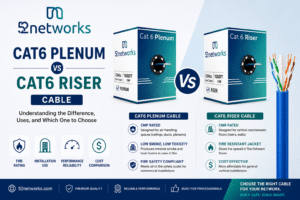
In the world of network infrastructure, the choice of cabling can have a significant impact on the safety, efficiency, and overall performance of a system. Among the various categories of network cables, Cat6 plenum and Cat6 riser cables are two popular options, each with distinct features and intended uses. The...
Read More

blogOctober 9, 2026
What Ethernet Cable Do I Need for 1Gbps, 2.5Gbps, 5Gbps and 10Gbps?
Choosing the right Ethernet cable can make a big difference when you are building or upgrading a home, office, gaming setup, or network infrastructure. Ethernet cables may look similar, but different categories are...
blogOctober 13, 2026
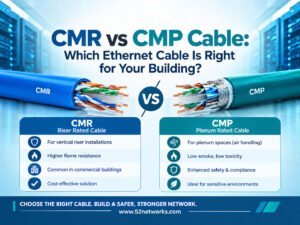
CMR vs CMP Cable: Which Ethernet Cable Is Right for Your Building?
Choosing the right Ethernet cable for a building involves more than selecting Cat5e, Cat6, or Cat6A. You also need to consider where the cable will be installed and which fire-safety rating is required. Two common ratings in...
blogOctober 13, 2026